
Introduction
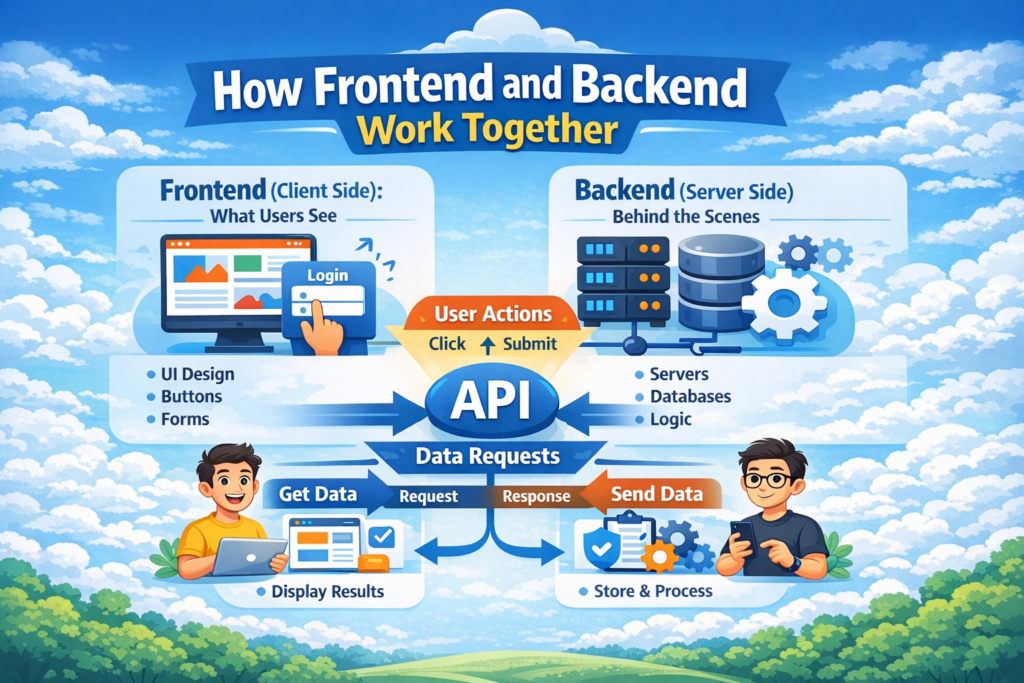
Frontend and Backend are the two main parts of a website. They work together to create a smooth and interactive user experience. While the frontend is what users see and interact with, the backend works behind the scenes to process data and make everything function properly.
What Frontend Means
Frontend refers to the part of the website that users see on their screen. It includes the design, layout, colors, buttons, and all visual elements. Frontend is built using technologies like HTML, CSS, and JavaScript to create a user-friendly interface.
What Backend Means
Backend is the hidden part of the website that runs on a server. It handles data, user login, security, and business logic. The backend communicates with databases and sends information to the frontend so the website can display correct and updated data.
User Interaction in a Website
User interaction is how people use a website. Every action a user takes tells the website to do something in the background.
This includes:
- Clicking buttons
- Typing in forms
- Submitting data
- Requesting new pages
Clicking Buttons
When a user clicks a button, the frontend detects the action and starts a process.
Examples:
- Login button
- Submit button
- Buy now button
- Load more button
Filling Forms
Forms collect user information and prepare it to be sent to the server.
Examples:
- Name
- Password
- Address
Sending Requests
After the user action, the frontend sends a request to the backend.
This request may include:
- User input
- Page request
- Login data
- Search query
How Data Travels
Data travels between the frontend and backend whenever a user interacts with a website. This journey happens in a few simple steps to make sure the right information reaches the user.
The data flow includes:
- Browser
- Server
- Database
- Back to the browser
Browser to Server
When a user clicks a button or submits a form, the browser sends a request to the server.
This request can include:
- Login details
- Form data
- Search queries
- Page requests
Server to Database
After receiving the request, the server sends it to the database to get or save data.
This step is used to:
- Check user login
- Save form information
- Fetch user data
- Retrieve products or posts
Database to Server
The database processes the request and sends the required data back to the server.
It may return:
- User details
- Records
- Search results
- Stored information
Server to Browser
The server sends the final response back to the browser so the user can see the result.
This response includes:
- Webpage content
- User data
- Success or error messages
- Updated information
Role of APIs
APIs play a key role in communication between the frontend and backend. They allow different parts of a website to exchange data in a structured and secure way.
APIs help to:
- Connect frontend and backend
- Send and receive data
- Keep systems organized
- Improve security and performance
What is an API
An API (Application Programming Interface) is a set of rules that allows one software to talk to another.
In simple terms:
- Frontend asks for data
- Backend responds through an API
- Data is shared in a controlled way
How APIs Connect Frontend and Backend
APIs act as a bridge between the user interface and the server logic.
They allow the frontend to:
- Request data
- Send user input
- Update content
They allow the backend to:
- Process requests
- Access databases
- Send responses
Request and Response Cycle
The request and response cycle explains how data moves through an API.
Steps involved:
- Frontend sends a request
- API receives the request
- Backend processes it
- API sends the response back
- Frontend displays the result
Authentication Process
Authentication is used to check who a user is before giving access to a website. It helps keep user accounts and personal data safe.
Authentication helps to:
- Identify users
- Protect accounts
- Prevent unauthorized access
- Secure private information
User Login
User login allows people to enter their account using a username and password.
This process includes:
- Entering email or username
- Entering password
- Submitting login form
- Sending data to the server
Data Verification
The server checks the login details with the database to confirm if they are correct.
The server verifies:
- Username or email
- Password
- Account status
Secure Access
If the login is successful, the server gives the user secure access to their account.
This ensures:
- Only real users can log in
- Private data stays protected
- Sessions remain secure
Displaying Data to Users
After the backend processes a request, the final step is to show the correct information to the user on the screen.
This process includes:
- Getting data from the server
- Preparing it for display
- Showing it on the webpage
Fetching Data
The frontend requests data from the backend through APIs.
This can include:
- User profile details
- Products or posts
- Search results
- Account information
Processing Data
The backend organizes and prepares the data so it can be used by the frontend.
This step helps to:
- Remove unnecessary information
- Format data correctly
- Apply business rules
Showing Results
The frontend receives the data and displays it on the website.
This allows users to:
- See their information
- View content
- Interact with updated data
Conclusion
Frontend and backend work together to create a complete and functional website. The frontend collects user actions and displays data, while the backend processes requests, manages databases, and ensures security. By working together, they make websites fast, interactive, and reliable for users.
Our related blogs :
Frontend vs Backend Development
Pingback: How a Web App Processes User Requests - Logic Layers
Pingback: How Databases Store Website Data - Logic Layers