
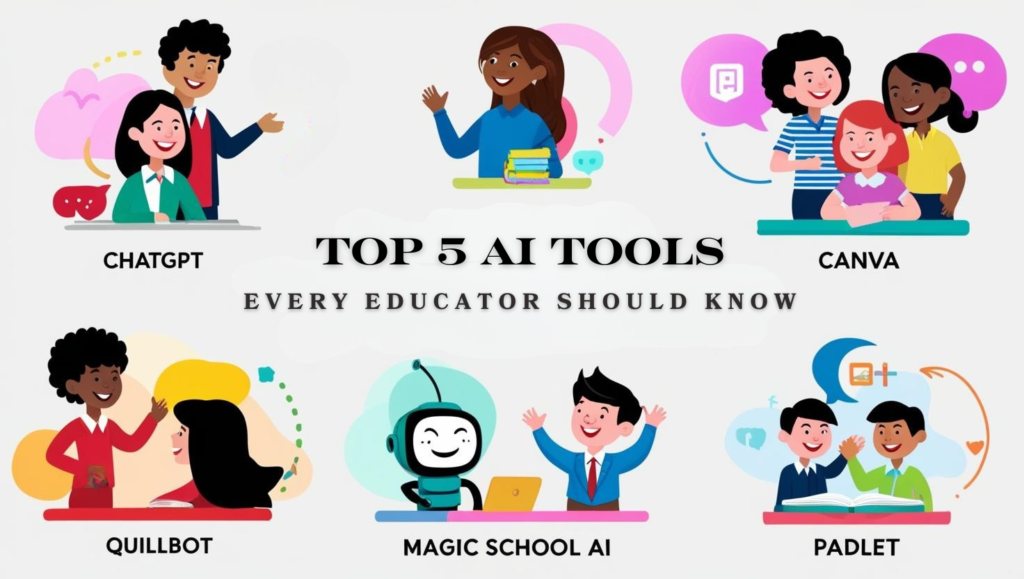
Study & Learning Assistance
AI Tutors & Study Helpers
- ChatGPT (Study Mode) – AI tutor that explains concepts, helps with homework, essays, and quizzes; tailored Study Mode available in India for students.
- StudentAI.app – 24/7 AI tutoring and 200+ study tools for homework, research, interviews, essays, scholarships, and more; free to start.
- Penseum – Turns PDFs, YouTube videos, and notes into study guides, flashcards, quizzes, and exams.
- Turbo AI – Converts lectures, videos, and docs into editable notes, flashcards, quizzes, and study tools.
- StudyFetch – Upload materials to instantly generate flashcards, quizzes, summaries, and get an AI tutor.
- YouLearn AI – Personalized AI tutor that explains content, creates study materials, and tracks progress.
Writing & Language Support
ChatGPT
Best for: Essay writing, explanations, vocabulary, rewriting
- Write essays, paragraphs, emails, and applications
- Improve sentence structure and tone
- Ask for examples, formats, or simplification
Free version available
Tip: Ask → “Rewrite this in simple student English”
Grammarly
Best for: Grammar, spelling, clarity
- Fixes grammar & punctuation mistakes
- Improves sentence clarity
- Great for essays, reports, and emails
Free version is enough for students
Tip: Use it before submitting assignments
QuillBot
Best for: Paraphrasing & summarizing
- Rewrite sentences without changing meaning
- Avoid plagiarism
- Summarize long content into short notes
Free plan available
Tip: Use “Simple” or “Fluency” mode for exams
Hemingway Editor
Best for: Making writing simple & clear
- Highlights complex sentences
- Improves readability
- Helps beginners write confidently
Completely free (online version)
Tip: Aim for Grade 6–8 readability
LanguageTool
Best for: Grammar + multilingual support
- Works in multiple languages
- Good alternative to Grammarly
- Checks style and tone
How Students Can Use These Tools Together‘
Step 1: Generate Ideas & First Draft
Tool: ChatGPT
How to use:
- Ask for essay outlines
- Generate introductions & conclusions
- Explain topics in simple language
Example prompt:
“Write a 300-word essay on Climate Change for a college student in simple English.”
This is your rough draft — not the final copy.
Step 2: Fix Grammar & Improve Clarity
Tool: Grammarly or LanguageTool
How to use:
- Paste the draft
- Correct grammar, spelling, punctuation
- Improve sentence clarity
This step makes your writing look professional.
Step 3: Paraphrase & Avoid Repetition
Tool: QuillBot
How to use:
- Rewrite sentences in your own words
- Reduce plagiarism risk
- Make answers exam-friendly
Tip: Use “Fluency” or “Simple” mode.
Step 4: Simplify & Improve Readability
Tool: Hemingway Editor
How to use:
- Check readability score
- Shorten long sentences
- Replace complex words
Ideal for beginners and non-native English students.
Final Student Workflow (Easy to Remember)
- ChatGPT → Draft & ideas
Grammarly / LanguageTool → Grammar & polish
QuillBot → Rewriting
Hemingway Editor → Simplicity
Best Use Cases for Students
- Assignments & essays
- Exam answers
- Emails to teachers
- Notes & summaries
Important Student Tip
AI should help you learn, not replace your thinking.
Always read and understand before submitting.
Organization & Productivity (AI Tools for Students)
These tools help students manage time, organize study material, track assignments, and stay productive—especially useful during exams and project deadlines.
Notion
Best for: Notes, planning, all-in-one organization
- Create class notes, to-do lists, and study schedules
- Organize subjects, assignments, and deadlines in one place
- Use AI (free tier) to summarize notes and generate task lists
Student use case:
One workspace for all subjects + exam planner
Trello
Best for: Assignment & task tracking
- Visual boards for “To Do / Doing / Done”
- Easy to track homework, projects, group work
- Simple and beginner-friendly
Student use case:
Track weekly assignments without forgetting deadlines
Google Keep
Best for: Quick notes & reminders
- Save short notes, ideas, and voice notes
- Color-code subjects
- Syncs across phone and laptop
Student use case:
Quick revision points before exams
Forest
Best for: Focus & time management
- Pomodoro-style focus sessions
- Blocks phone distractions
- Motivates deep study sessions
Student use case:
Stay focused during long study hours
Google Calendar
Best for: Scheduling & reminders
- Set exam dates and deadlines
- Get reminders before submissions
- Easy integration with daily routine
Presentations & Design (AI Tools for Students)
These tools help students create professional presentations, posters, charts, and visuals quickly—without needing advanced design skills.
Canva
Best for: Presentations, posters, infographics
- Ready made student presentation templates
- Simple drag and drop design
- Free icons, charts, and layouts
Student use case:
Create PPTs for seminars, projects, and classroom presentations’
Gamma
- Best for: AI generated presentations
- Create slides from a topic or text
- Clean and modern slide designs
- Saves time during last minute work
Google Slides
Best for: Simple and collaborative presentations
- Free and cloud based
- Real time collaboration with classmates
- Easy sharing with teachers
Student use case:
Group projects and team presentations
Slidesgo
Best for: Presentation templates
- Free student friendly slide designs
- Works with Google Slides and PowerPoint
- Professional layouts
Student use case:
Improve presentation design with ready templates
Piktochart
Best for: Infographics and visual reports
- Create charts, graphs, and visual summaries
- Ideal for data based assignments
Student use case:
Turn research data into clear visuals
Simple student workflow
- Prepare content using ChatGPT
- Create slides using Gamma or Google Slides
- Improve design using Canva or Slidesgo
- Add charts and visuals using Piktochart

Extra Helpful AI Tech
These AI tools are not only for one subject. They support students in coding, research, visuals, productivity, and learning efficiency across all fields.
ChatGPT
- Helps with explanations, summaries, and doubts
- Supports essay writing, exam answers, and emails
- Useful for brainstorming ideas and learning new topics
Student use case:
Clear doubts before exams and understand complex topics
Google Gemini
- Helps with research and factual explanations
- Integrates with Google Docs and Gmail
- Good for quick answers and topic exploration
Student use case:
Research support for assignments and projects
Perplexity AI
- AI powered search with sources
- Gives direct and summarized answers
- Saves time compared to normal searching
Student use case:
Find reliable information for assignments
GitHub Copilot
- Helps students learn coding faster
- Suggests code and fixes errors
- Supports multiple programming languages
Student use case:
Practice programming and debug projects
Google Lens
- Scan text from books and notes
- Solve basic math and science questions
- Translate text instantly
Student use case:
Quick help during study and revision
Otter.ai
- Converts lectures into text notes
- Records online classes and meetings
- Saves time on manual note taking
Student use case:
Turn lectures into revision notes
How to Get the Most Out of These Tools
1. Use AI as a learning partner, not a shortcut
- Ask AI to explain concepts step by step
- Use it to understand topics before writing answers
- Avoid copying answers directly
2. Combine tools instead of relying on one
- Use ChatGPT to generate ideas and explanations
- Use Grammarly or LanguageTool to fix grammar
- Use QuillBot to rewrite in your own words
- Use Notion or Trello to organize everything
3. Always review and edit AI output
- Read every answer carefully
- Match content with your syllabus
- Add your own understanding and examples
4. Use simple and clear prompts
- Ask specific questions
- Mention word limit, tone, or difficulty level
- Example:
- “Explain this topic in simple language for exam preparation”
5. Save time, but keep originality
- Use AI for drafts and structure
- Final submission should reflect your thinking
- Change wording to match your writing style
6. Practice daily for better results
- Use AI regularly for small tasks
- Improve writing, vocabulary, and clarity over time
- Treat AI like a daily study assistant
7. Follow academic rules
- Check your college or school AI policy
- Do not submit AI content blindly
- Use AI ethically and responsibly
Final tip for students
AI tools are powerful, but your understanding matters more than the output.
Use them to learn faster, not to stop thinking.
If you want, I can also share common mistakes students make with AI, best prompts for students, or AI study routines.
Next blog: Future of AI in Daily Life
Pingback: ChatGPT Prompt Examples for Beginners - Logic Layers
Pingback: What is DSA (Data Structures and Algorithms)? - Logic Layers